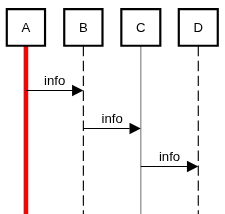
Sequence Diagram Instructions

Describe interactions between participants with messages, activations, notes, and fragments. Messages appear in order from top to bottom.

Get Started

This is a two-way editor: type source text to update the diagram, or edit the diagram on the canvas to update the source.

  1. Put @sequence on the first non-blank, non-comment line. The marker is optional because sequence mode is the default. Copy a complete example using the icon below an image, then paste it into the source editor.
  2. Write a message such as A->B:request. Participants A and B are created automatically; use participant declarations to add them explicitly.
  3. On the canvas, click and drag from a participant's vertical lifeline onto another lifeline to create a message arrow. Double-click a participant or message to edit its text.
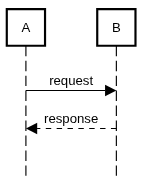
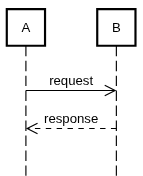
A sends a request to B and B sends a dashed response to A
⎘
@sequence A->B:request A<--B:response

Click an element to select only that element. Ctrl-click / Cmd-click adds or removes an element from the selection. Click empty space or press Escape to clear the selection.

Drag from an inactive area of the canvas to select fully enclosed elements with a rectangle. Enclose a participant's header, not its whole lifeline; enclose a fragment's complete frame. Messages, notes, and else dividers inside a fragment can also be selected independently. Activations and hidden contents of collapsed fragments are not independently selectable. Each rectangle replaces the previous selection.
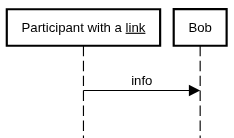
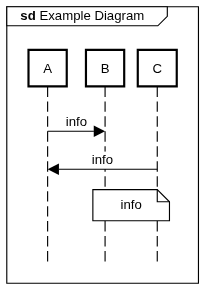
Existing message-creation and move targets keep their drag actions, including Ctrl/Cmd/Shift message shortcuts. A rectangle starts only where no existing click or drag action applies. Selection does not move elements as a group.

Press Delete to remove the selected elements together. Deleting a participant also removes its interactions. Deleting an expanded fragment keeps its unselected contents; deleting a collapsed fragment also removes its hidden contents. One Ctrl-Z / Cmd-Z restores the entire deletion.

Press Escape to cancel the current interaction. Click in the source editor before using Delete to edit text.

See Editor Instructions for shared toolbar buttons, storage options, presentation modes, undo/redo, and source-editor shortcuts.

Comments

⎘
# Comments may precede the mode marker @sequence // Send a request from A to B A->B:request

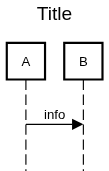
Title

sequence diagram title example
⎘
title Title A->B:info
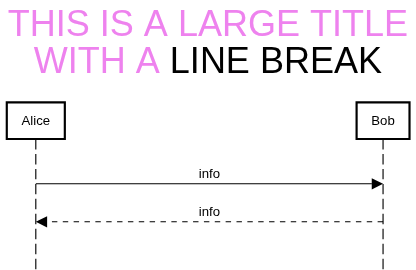
sequence diagram title with line break example
⎘
title <size:30><color:#violet>THIS IS A LARGE TITLE\nWITH A </color>LINE BREAK</size> participantspacing 14 Alice->Bob:info Alice<--Bob:info

Participants

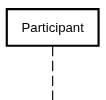
sequence diagram participant example
⎘
participant Participant
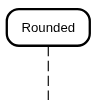
sequence diagram rparticipant example
⎘
rparticipant Rounded
sequence diagram actor example
⎘
actor Actor
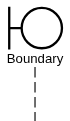
sequence diagram boundary example
⎘
boundary Boundary
sequence diagram control example
⎘
control Control
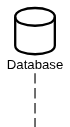
sequence diagram database example
⎘
database Database
sequence diagram entity example
⎘
entity Entity
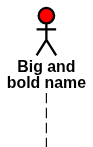
sequence diagram actor with multi line example
⎘
actor "**++Big and\nbold name" as actorMultiline #red
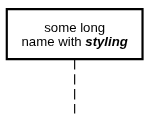
sequence diagram participant with multi line example
⎘
participant "some long\nname with **//styling//**" as participantMultiline
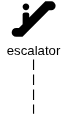
sequence diagram materialdesignicons icon example
⎘
materialdesignicons F1FF escalator
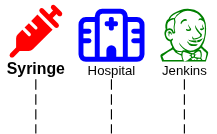
sequence diagram font awesome 6 icon example
⎘
fontawesome6solid f48e "++**Syringe**++" as Syringe #red fontawesome6regular f0f8 Hospital #blue fontawesome6brands f3b6 Jenkins #green
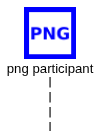
sequence diagram participant images example
⎘
image data:image/png;base64,iVB... png participant
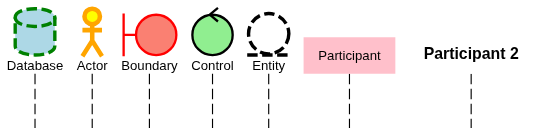
sequence diagram participant styling example
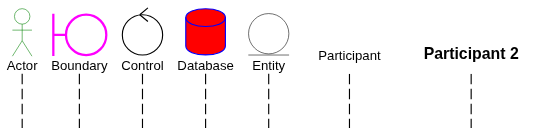
⎘
database Database #lightblue #green;3;dashed actor Actor #yellow #orange;4 boundary Boundary #salmon #red control Control #lightgreen entity Entity ;3;dashed participant Participant #pink ;0 participant "++**Participant 2**++" as Participant2 ;0

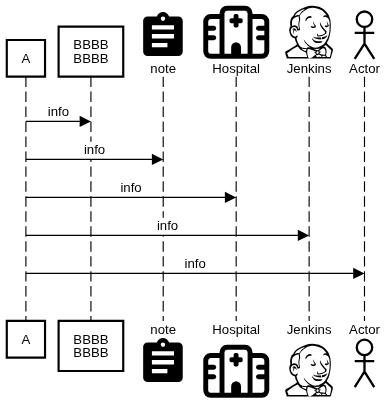
Bottom Participants

sequence diagram bottom participants example
⎘
bottomparticipants participant A participant "BBBB\nBBBB" as B materialdesignicons f14d note fontawesome6regular f0f8 Hospital fontawesome6brands f3b6 Jenkins actor Actor A->B:info A->note:info A->Hospital:info A->Jenkins:info A->Actor:info

Messages

sequence diagram request response example
⎘
A->B:request A<--B:response
sequence diagram async request response example
⎘
A->>B:request A<<--B:response
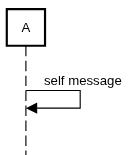
sequence diagram self referencing message example
⎘
A->A:self message
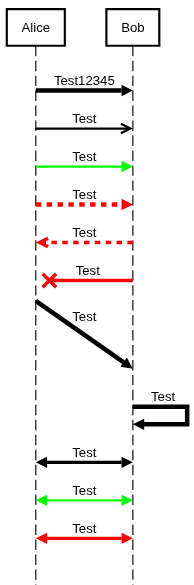
sequence diagram line weight message example
⎘
Alice-[;4]>Bob:Test12345 Alice-[;2]>>Bob:Test Alice-[#00ff00;2]>Bob:Test Alice-[#red;4]->Bob:Test Alice<<-[#red;3]-Bob:Test Alicex[#red;3]-Bob:Test Alice-[;4]>(5)Bob:Test Bob-[;4]>Bob:Test Alice<-[;3]>Bob:Test Alice<-[#00ff00;2]>Bob:Test Alice<-[#red;3]>Bob:Test

Non-instantaneous Messages

sequence diagram non-instantaneous message example
⎘
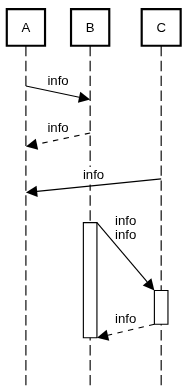
participant A participant B participant C A->(1)B:info A(1)<--B:info A(1)<-C:info B->(5)C:info\ninfo activate B activate C B(1)<--C:info deactivate C deactivate B
sequence diagram non-instantaneous messages arriving after later message example
⎘
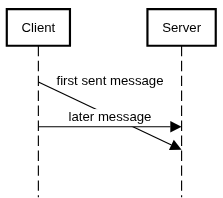
Client->(5)Server:first sent message space -6 Client->Server:later message

Incoming and Outgoing Messages

sequence diagram incoming and outgoing messages example
⎘
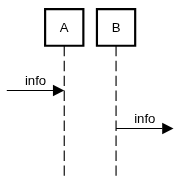
[->A:info B->]:info

Failure Messages

sequence diagram failure message example
⎘
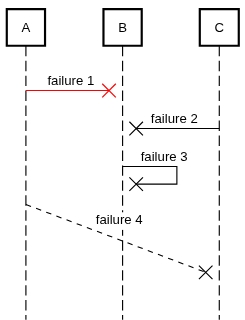
A-#redxB:failure 1 C-xB:failure 2 Bx-B:failure 3 C(5)x--A:failure 4

Notes and Boxes

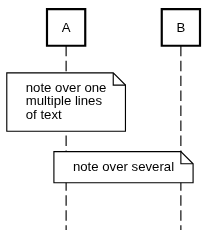
sequence diagram notes over example
⎘
note over A:note over one\nmultiple lines\nof text note over A,B:note over several
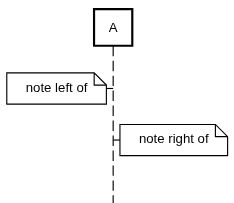
sequence diagram notes on sides example
⎘
note left of A:note left of note right of A:note right of
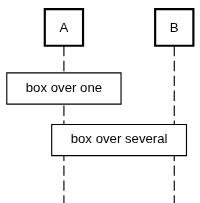
sequence diagram box over example
⎘
box over A:box over one box over A,B:box over several
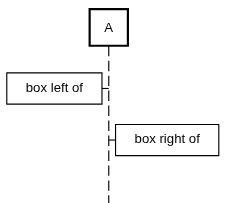
sequence diagram boxes on sides example
⎘
box left of A:box left of box right of A:box right of
sequence diagram angular box over example
⎘
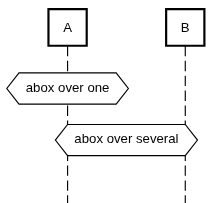
abox over A:abox over one abox over A,B:abox over several
sequence diagram angular box on sides example
⎘
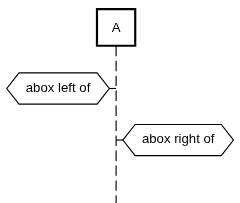
abox left of A:abox left of abox right of A:abox right of
sequence diagram round box over example
⎘
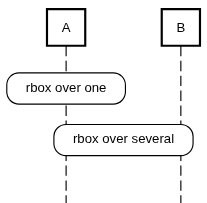
rbox over A:rbox over one rbox over A,B:rbox over several
sequence diagram round box on sides example
⎘
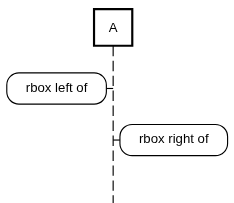
rbox left of A:rbox left of rbox right of A:rbox right of
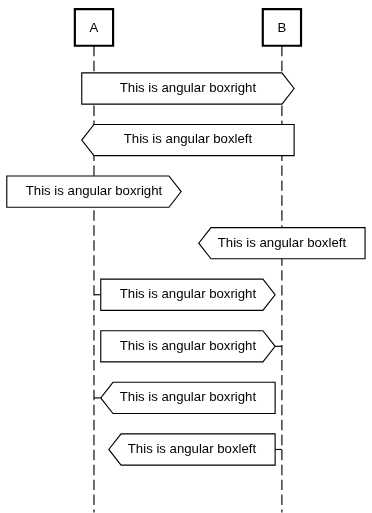
sequence diagram angular box left and right example
⎘
aboxright over A,B:This is angular boxright aboxleft over A,B:This is angular boxleft aboxright over A:This is angular boxright aboxleft over B:This is angular boxleft aboxright right of A:This is angular boxright aboxright left of B:This is angular boxright aboxleft right of A:This is angular boxright aboxleft left of B:This is angular boxleft
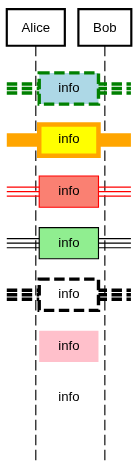
sequence diagram note styling example
⎘
note over A #lightblue #green;3;dashed:info note over A #yellow #orange;4:info note over A #salmon #red:info note over A #lightgreen:info note over A ;3;dashed:info note over A #pink ;0:info note over A ;0:info

References

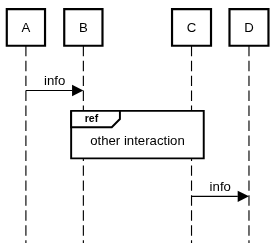
sequence diagram reference over example
⎘
A->B:info ref over B,C:other interaction C->D:info
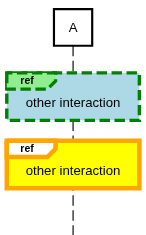
sequence diagram reference styling example
⎘
style myStyle#lightgreen #lightblue #green;3;dashed ref over A##myStyle:other interaction ref over A#yellow #orange;4:other interaction

Dividers

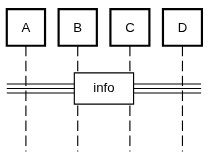
sequence diagram divider example
⎘
participant A participant B participant C participant D ==info==
sequence diagram divider styling example
⎘
participant Alice participant Bob ==info==#lightblue #green;3;dashed ==info==#yellow #orange;4 ==info==#salmon #red ==info==#lightgreen ==info== ;3;dashed ==info==#pink ;0 ==info== ;0

Create and Destroy

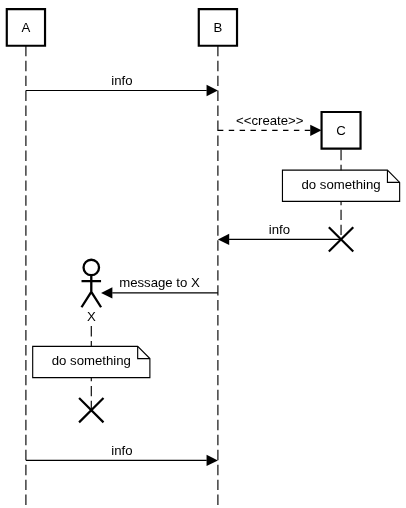
sequence diagram create message example
⎘
participant A actor X participant B A->B:info B-->*C:<<create>> note over C:do something B<-C:info destroy C B->*X:message to X note over X:do something destroyafter X A->B:info
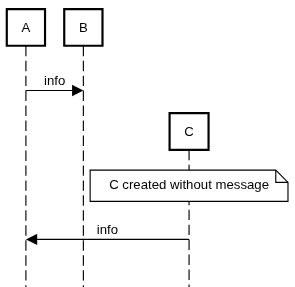
sequence diagram create without message example
⎘
A->B:info create C note over C: C created without message A<-C:info
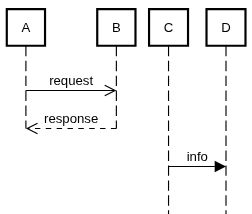
sequence diagram destroy silent example
⎘
A->>B:request A<<--B:response destroysilent B destroysilent A C->D: info

Activations

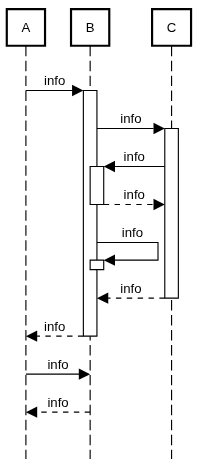
sequence diagram activation example
⎘
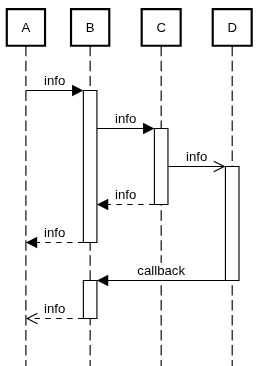
participant A participant B participant C participant D A->B:info activate B B->C:info activate C C->>D:info activate D B<--C:info deactivate C A<--B:info deactivate B B<-D:callback deactivate D activate B A<<--B:info deactivate B
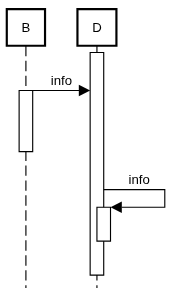
sequence diagram activation with self reference example
⎘
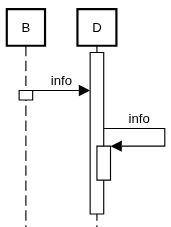
participant B participant D activate D B->D:info activate B deactivateafter B D->D:info activate D space deactivate D
sequence diagram activation with self message example
⎘
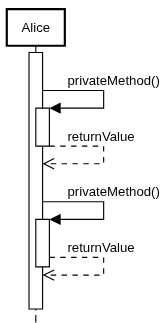
activate Alice Alice->Alice:privateMethod() activate Alice Alice<<--Alice:returnValue deactivate Alice Alice->Alice:privateMethod() activate Alice Alice<<--Alice:returnValue deactivateafter Alice
sequence diagram activation styling example
⎘
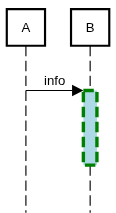
A->B:info activate B #lightblue #green;3;dashed space 4 deactivate B

Auto Activation

sequence diagram automatic activation example
⎘
autoactivation on A->B:info B->C:info B<-C:info B-->C:info B->B:info deactivateafter B B<--C:info A<--B:info autoactivation off A->B:info A<--B:info

Spaces

sequence diagram space example
⎘
participant B participant D activate D B->D:info activate B space 3 deactivate B D->D:info activate D space deactivate D

Fragments

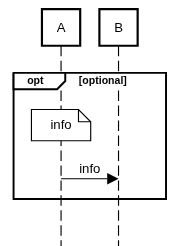
sequence diagram opt fragment example
⎘
opt optional note over A:info A->B:info end
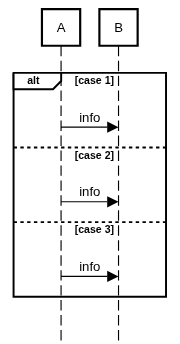
sequence diagram alt fragment example
⎘
alt case 1 A->B:info else case 2 A->B:info else case 3 A->B:info end
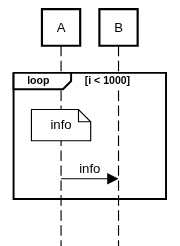
sequence diagram loop fragment example
⎘
loop i < 1000 note over A:info A->B:info end
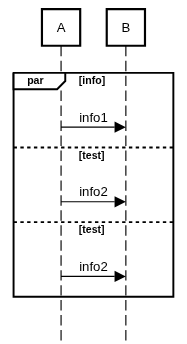
sequence diagram parallel thread fragment example
⎘
par info A->B:info1 else test A->B:info2 else test A->B:info2 end
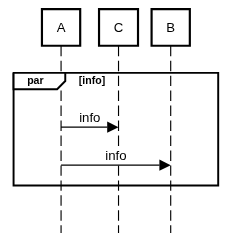
sequence diagram parallel fragment example
⎘
par info A->C:info A->B:info end
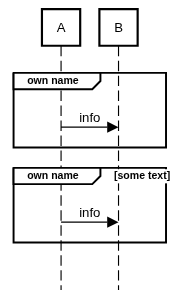
sequence diagram group fragment example
⎘
group own name A->B:info end group own name [some text] A->B:info end
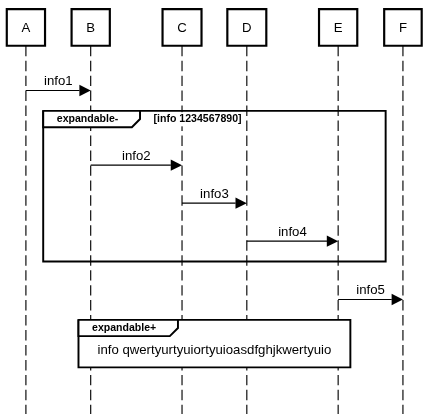
sequence diagram expandable fragment example
⎘
A->B:info1 expandable- info 1234567890 B->C:info2 C->D:info3 D->E:info4 end E->F:info5 expandable+ info qwertyurtyuiortyuioasdfghjkwertyuio B->C:info2 C->D:info3 D->E:info4 end
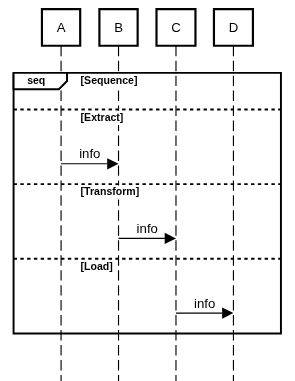
sequence diagram group fragment with else example
⎘
group seq [Sequence] else Extract A->B: info else Transform B->C: info else Load C->D: info end
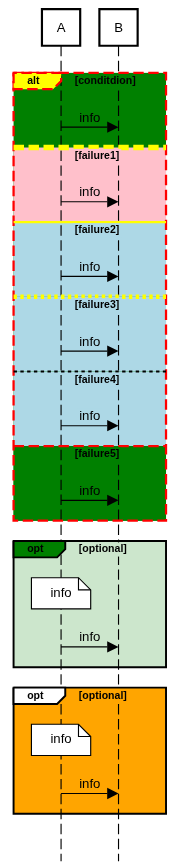
sequence diagram fragment styling example
⎘
alt#yellow #green #red;2;dashed conditdion A->B:info else #pink #yellow;5;dashed failure1 A->B:info else #lightblue #yellow;2;solid failure2 A->B:info else #lightblue #yellow;4 failure3 A->B:info else #lightblue failure4 A->B:info else failure5 A->B:info end opt#green #auto optional note over A:info A->B:info end opt #orange optional note over A:info A->B:info end
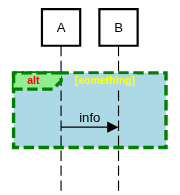
sequence diagram fragment styling example
⎘
fragmentstyle#lightgreen #lightblue #green;3;dashed,,<color:#red>,<color:#yellow> alt something A->B:info end

Participant Groups

sequence diagram participant group example
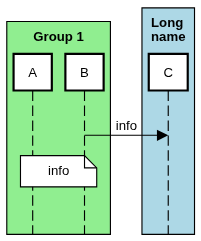
⎘
participantgroup #lightgreen **Group 1** participant A participant B end participantgroup #lightblue **Long\nname** participant C end B->C:info note over A,B:info
sequence diagram nested participant group example
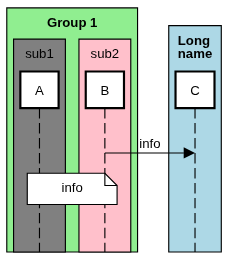
⎘
participantgroup #lightgreen **Group 1** participantgroup #grey sub1 participant A end participantgroup #pink sub2 participant B end end participantgroup #lightblue **Long\nname** participant C end B->C:info note over A,B:info
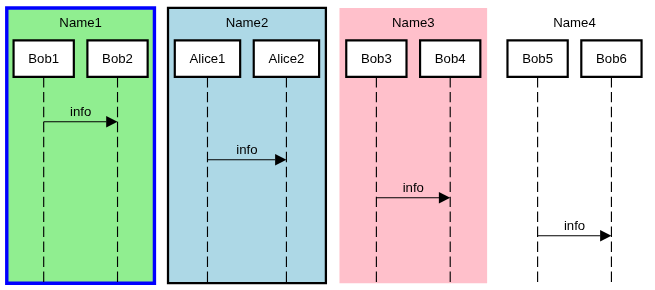
sequence diagram nested participant group example
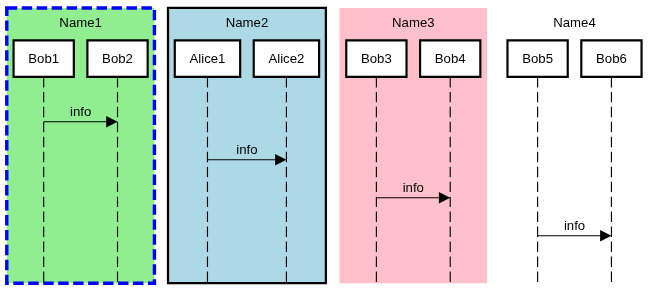
⎘
participantgroup #lightgreen #blue;3;dashed Name1 participant Bob1 participant Bob2 end participantgroup #lightblue ;2 Name2 participant Alice1 participant Alice2 end participantgroup #pink ;0 Name3 participant Bob3 participant Bob4 end participantgroup ;0 Name4 participant Bob5 participant Bob6 end Bob1->Bob2:info Alice1->Alice2:info Bob3->Bob4:info Bob5->Bob6:info
sequence diagram link example
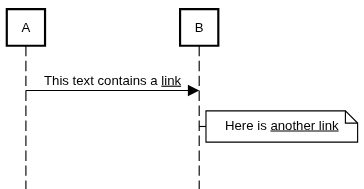
⎘
A->B:This text contains a <link:http://example.com>link</link> note right of B:Here is <link:https://www.w3schools.com>another link</link>
sequence diagram participant link example
⎘
participant "Participant with a <link:http://example.com>link</link>" as Alice Alice->Bob:info

Frame

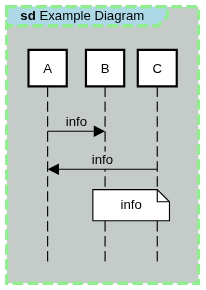
sequence diagram frame example
⎘
frame Example Diagram A->B:info C->A: info note over B,C:info
sequence diagram frame example
⎘
frame#lightblue #c5cbc8 #lightgreen;3;dashed Example Diagram A->B:info C->A: info note over B,C:info

Element Styling

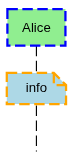
sequence diagram element styling example
⎘
participant Alice #lightgreen #blue;2;dashed note over Alice #lightblue #orange;2;dashed:info

Text Styling

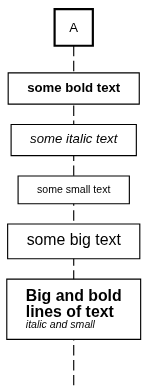
sequence diagram text styling example
⎘
box over A:**some bold text** box over A://some italic text// box over A:--some small text-- box over A:++some big text++ box over A:++**Big and bold\nlines of text**++\n//--italic and small--//
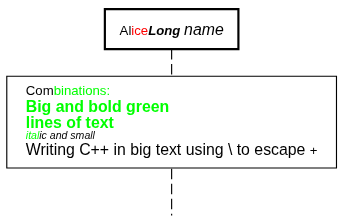
sequence diagram text styling color example
⎘
participant "Al<color:#red>ice</color>//**Long** ++name++//" as Alice box over Alice:Com<color:#00ff00>binations:\n++**Big and bold green\nlines of text**++\n//--ital</color>ic and small--//\n++Writing C\+\+ in big text using \ to escape +++
sequence diagram text styling example
⎘
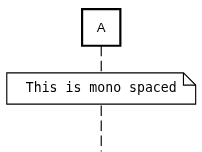
note over A:""This is mono spaced""
sequence diagram text styling example
⎘
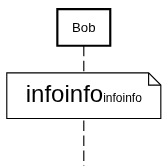
note over Bob:<size:20>infoinfo</size><size:10>infoinfo</size>
sequence diagram text styling example
⎘
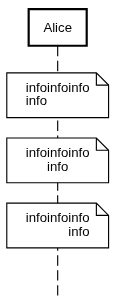
note over Alice:<align:left>infoinfoinfo\ninfo</align> note over Alice:<align:center>infoinfoinfo\ninfo</align> note over Alice:<align:right>infoinfoinfo\ninfo</align>
sequence diagram text styling position example
⎘
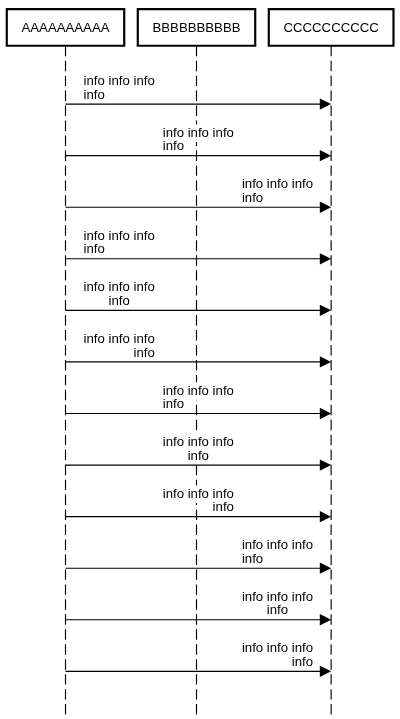
participant AAAAAAAAAA participant BBBBBBBBBB participant CCCCCCCCCC AAAAAAAAAA->CCCCCCCCCC:<position:left>info info info\ninfo AAAAAAAAAA->CCCCCCCCCC:<position:center>info info info\ninfo AAAAAAAAAA->CCCCCCCCCC:<position:right>info info info\ninfo messagestyle <position:left> AAAAAAAAAA->CCCCCCCCCC:<align:left>info info info\ninfo AAAAAAAAAA->CCCCCCCCCC:<align:center>info info info\ninfo AAAAAAAAAA->CCCCCCCCCC:<align:right>info info info\ninfo messagestyle <position:center> AAAAAAAAAA->CCCCCCCCCC:<align:left>info info info\ninfo AAAAAAAAAA->CCCCCCCCCC:<align:center>info info info\ninfo AAAAAAAAAA->CCCCCCCCCC:<align:right>info info info\ninfo messagestyle <position:right> AAAAAAAAAA->CCCCCCCCCC:<align:left>info info info\ninfo AAAAAAAAAA->CCCCCCCCCC:<align:center>info info info\ninfo AAAAAAAAAA->CCCCCCCCCC:<align:right>info info info\ninfo
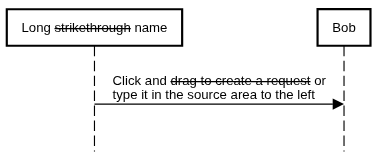
sequence diagram text styling strikethrough example
⎘
participant "Long ~~strikethrough~~ name" as Alice Alice->Bob:Click and ~~drag to create a request~~ or\ntype it in the source area to the left
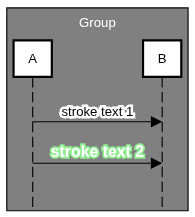
sequence diagram text styling stroke example
⎘
participantgroup #gray <color:#white>Group</color> participant A participant B end A->B:<stroke:1.5:#white><color:#black>stroke text 1</color></stroke> A->B:<stroke:1:#lightgreen><color:#white>++**stroke text 2**++</color></stroke>
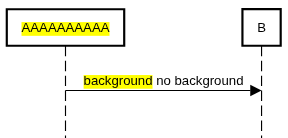
sequence diagram text styling background example
⎘
participant "<background:#yellow>AAAAAAAAAA</background>" as A participant B A->B:<background:#yellow>background</background> no background
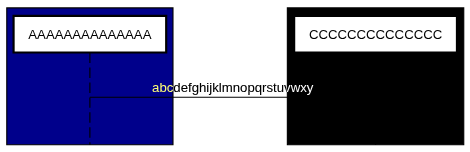
sequence diagram text styling difference example
⎘
participantgroup #darkblue participant AAAAAAAAAAAAAA end participantgroup #black participant CCCCCCCCCCCCCC end AAAAAAAAAAAAAA->CCCCCCCCCCCCCC:<difference><color:#white>abcdefghijklmnopqrstuvwxy</color></difference>
sequence diagram text styling word wrap example
⎘
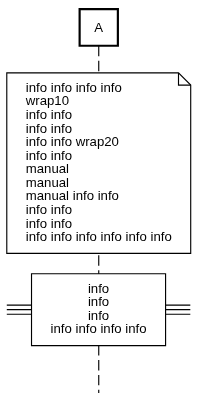
note over A:info info info info <wordwrap:10>wrap10 info info info info info info <wordwrap:20>wrap20 info info\nmanual\nmanual\nmanual info info info info </wordwrap>info info info </wordwrap>info info info info info ==<wordwrap:1><align:center>info info info </wordwrap>info info info info</align>==
sequence diagram text styling subscript and superscript example
⎘
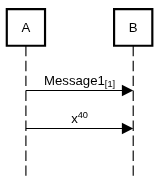
A->B:Message1<sub>[1]</sub> A->B:x<sup>40</sup>

Named and Type-Based Styles

sequence diagram named style text example
⎘
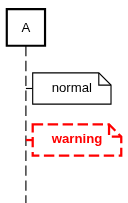
style myWarning #white #red;2;dashed,**<color:#red> note right of A: normal note right of A ##myWarning: warning
sequence diagram entity styling text example
⎘
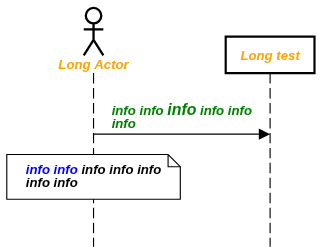
participantstyle <color:#orange><wordwrap:25>//** notestyle <color:#blue><wordwrap:25>//** messagestyle <color:#green><wordwrap:25>//** actor "Long Actor" as Actor participant "Long test" as test Actor->test:info info ++info++ info info info note over Actor:info info</color> info info info info info
sequence diagram entity styling text example
⎘
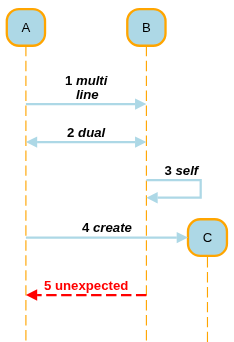
participantstyle #lightblue #orange lifelinestyle #orange messagestyle #lightblue;2,**// style myWarning #white #red;2;dashed,**<color:#red> rparticipant A rparticipant B rparticipant C autonumber A->B:multi\nline A<->B:dual B->B:self A->*C:create A<-[##myWarning]-B:unexpected

Active Color

sequence diagram active color example
⎘
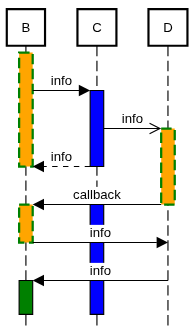
participant B participant C participant D activecolor #orange #green;2;dashed activecolor C #blue activate B B->C:info activate C C->>D:info activate D B<--C:info deactivate C deactivate B B<-D:callback activate C deactivate D activate B B->D:info deactivate B B<-D:info activate B #green

Fonts

sequence diagram font example
⎘
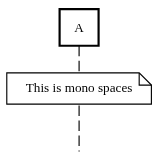
fontfamily mono participant A note over A:This is mono spaces

Automatic Numbering

sequence diagram automatic number example
⎘
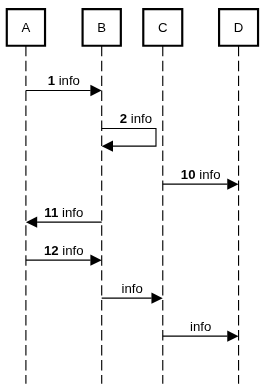
autonumber 1 A->B:info B->B:info autonumber 10 C->D:info A<-B:info A->B:info autonumber off B->C:info C->D:info

Linear Messages

sequence diagram linear messages example
⎘
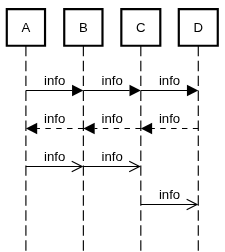
linear A->B:info B->C:info C->D:info C<--D:info B<--C:info A<--B:info A->>B:info B->>C:info linear off C->>D:info

Parallel

sequence diagram parallel example
⎘
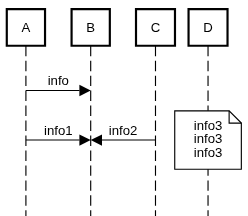
A->B:info parallel A->B:info1 B<-C:info2 note over D:info3\ninfo3\ninfo3

Participant Spacing

sequence diagram participant spacing example
⎘
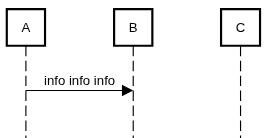
participantspacing equal participant A participant B participant C A->B:info info info

Entry Spacing

sequence diagram entry spacing example
⎘
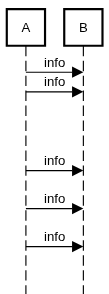
entryspacing 0.1 A->B:info A->B:info entryspacing 3 A->B:info entryspacing 1 A->B:info A->B:info

Life Line Style

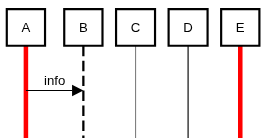
sequence diagram life line style example
⎘
participant A participant B participant C participant D participant E lifelinestyle #red;4;solid lifelinestyle B #black;2;dashed lifelinestyle C #gray;1;solid lifelinestyle D ;solid A->B:info

Large Example

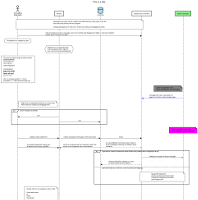
sequence diagram example
⎘
Source too large to display

Legacy Styling

sequence diagram participant styling example
⎘
actor #green:0.5 Actor boundary #ff00ff:2 Boundary control :1 Control database #blue:1 Database #red entity :0.5 Entity participant :0 Participant participant :0 "++**Participant 2**++" as p2
sequence diagram line weight message example
⎘
Alice-:4>Bob:Test12345 Alice-:2>>Bob:Test Alice-#00ff00:2>Bob:Test Alice--#red:4>Bob:Test Alice<<#red:3--Bob:Test Alicex#red:3-Bob:Test Alice-:4>(5)Bob:Test Bob-:4>Bob:Test Alice<-:3>Bob:Test Alice<-#00ff00:2>Bob:Test Alice<-#red:3>Bob:Test
sequence diagram border styling participant group example
⎘
participantgroup #lightgreen #blue:3 Name1 participant Bob1 participant Bob2 end participantgroup #lightblue :2 Name2 participant Alice1 participant Alice2 end participantgroup #pink :0 Name3 participant Bob3 participant Bob4 end participantgroup :0 Name4 participant Bob5 participant Bob6 end Bob1->Bob2:info Alice1->Alice2:info Bob3->Bob4:info Bob5->Bob6:info
sequence diagram life line style example
⎘
participant A participant B participant C participant D lifelinestyle #red:4:solid lifelinestyle B #black:1:dashed lifelinestyle C #gray:1:solid lifelinestyle D ::dashed A->B:info B->C:info C->D:info